Microsoft SwiftKey AI Keyboard v9.12.18.11 Beta [Mod][Amoled]
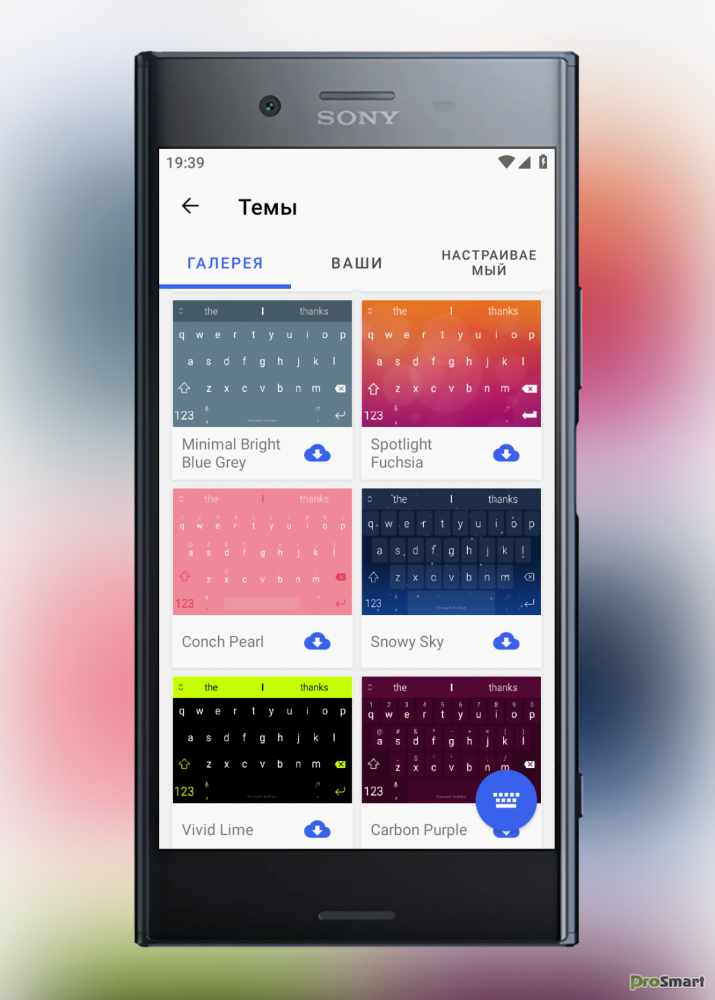
Клавиатура для телефонов и планшетов, включающая инновационную система предиктивного ввода текста, которая должна увеличить скорость набора текста до 50%. SwiftKey Keyboard на любой вкус - все цвета, дизайны и темы. Поддержка 150+ языков. Нажатие или пролистывание для набора текста. Тонны эмодзи (смайлики, эмотиконы). Отсутствие эмодзи. Или предсказания клавиатуры emoji, полученные на основе того, как вы использовали emoji раньше.
Особенностью метода является облачная работа и так называемый искусственный интеллект (UI): в настройках программы можно выбрать источники обучения – Facebook, Twitter, Gmail, SMS, после чего программа начнет анализировать ваше общение и станет предлагать наиболее релевантные слова при наборе. Помимо этого, программа умеет заканчивать слова, адаптировать расположение букв, имеет поддержку русского языка, несколько тем и много других настроек. Компания TouchType обращает внимание, что программа SwiftKey не хранит пароли, а использующаяся в процессе обучения информация не будет никому передана.
Сайт разработчика: SwiftKey
Язык интерфейса: Multilanguage
Совместимость: Minimal Android 5.1+
Состояние: MOD версия
Screenshot: Original by Dymonyxx
Google Play Store
![Microsoft SwiftKey AI Keyboard v9.12.18.11 Beta [Mod][Amoled]](/uploads/posts/2022-11/1667392319_android.png)
Бесплатно обновите клавиатуру своего телефона до SwiftKey Keyboard - и успевайте делать больше, не задумываясь об опечатках. Присоединяйтесь к более чем 250 миллионам пользователей по всему миру, которые используют SwiftKey Keyboard для удобного набора текста. Это означает автокоррекцию и предиктивный текст, который действительно работает, поскольку адаптируется к вам. SwiftKey Keyboard удовлетворяет любой вкус при наборе текста - все цвета, дизайны и темы. Поддержка 150+ языков. Нажатие или пролистывание для набора текста. Тонны эмодзи (смайлики, эмотиконы). Отсутствие эмодзи. Или предсказания клавиатуры emoji, полученные на основе того, как вы использовали emoji раньше.
✰ Added an option under clipboard settings to remove all unpinned entries at once.
✰ Added all mihz mod's themes. Thanks to him for all these themes.
✰ Few extra themes added from an unknown mod, identity is not known of themer.
✰ Added option to disable/bypass incognito mode so themes stay intact and can be changed under incognito mode. (find it under Typing setting.) - Removed.
✰ Import/Export option added.
•• Both options are under clipboard settings.
•• Export option will export all clips to "sdcard/download/clipboard_export.txt"
•• Import option allows you to choose any ".txt" file to import clips to your existing clipboard items.
•• Every single line till there's a "\n" (new line break) will be considered as a single entry.
Mod updates:
✰ "IOS" keypress sound profile added (can be enabled in settings - sound and vibration - sound profile)
✰ Offline English(US) language pack
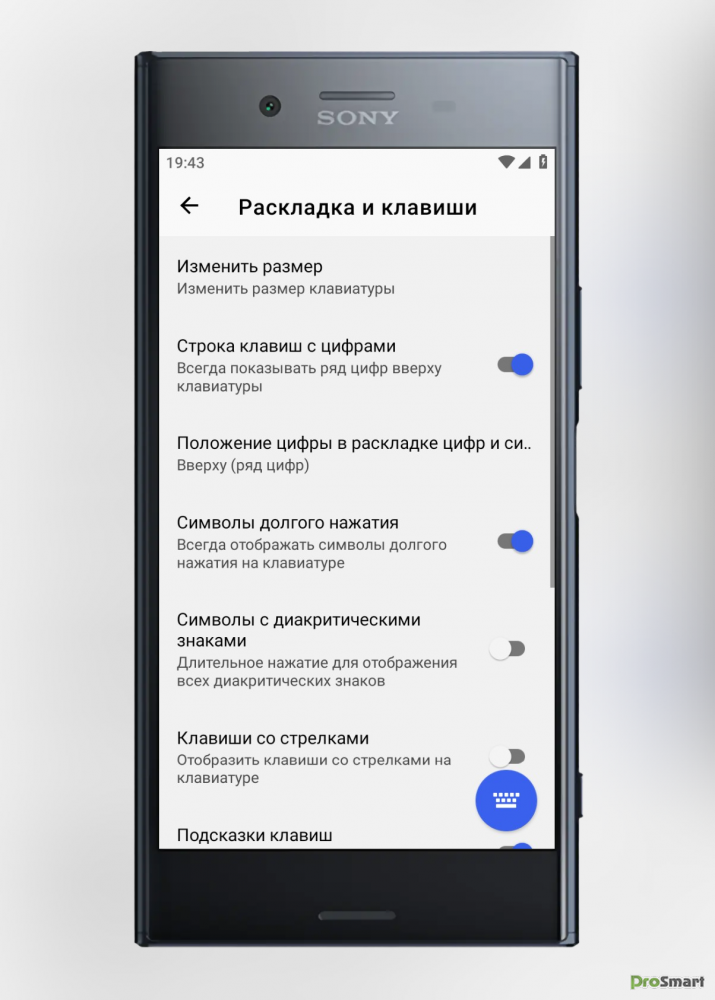
✰ Additional characters on the English(US) layout by long pressing the key (can be enabled in settings - layout & keys - show additional characters. (inspired by mihz mod)
Import/Export functions:
Expand: hide
Export-
• Each export file can later be imported to keep clips and shortcuts intact.
• Export format is this,
•• (1.) *# tk thank you (* represents the shortcut and # represents pinned status)
•• (2.) thank you.
Import:
• Two ways to import,
•• If the file name is "shortcut.txt", first word would be considered as a shortcut and rest of the entry till there's a \n would be the text part.
•• Any other file name must have this format,
••• (1.) *# tk thank you (* for shortcut and # for pinned status)
••• (2.) no thank you (saved as a whole without any shortcut)
Letters with additional characters:
Expand: hide
C - angle brackets <> and herringbone quotes « »
G - hyphen, middle hyphen — –
K - opening bracket and opening brace [{
L - closing bracket and closing brace ]}
M - backslash \
V - apostrophes ʼ `
R - copyright mark and rupee sign © ℗ ₹
U, I - arrows ↑ → ↓ ←
F - list marker, check mark and star • ✓ ✰
J - not equal to, approximately ≠ ≈
Q - degrees symbol °
H - plus minus symbol ±
Что нового:
- Теперь вы можете создавать видео с помощью ИИ и сохранять их на клавиатуре.
✰ Added all mihz mod's themes. Thanks to him for all these themes.
✰ Few extra themes added from an unknown mod, identity is not known of themer.
✰ Added option to disable/bypass incognito mode so themes stay intact and can be changed under incognito mode. (find it under Typing setting.) - Removed.
✰ Import/Export option added.
•• Both options are under clipboard settings.
•• Export option will export all clips to "sdcard/download/clipboard_export.txt"
•• Import option allows you to choose any ".txt" file to import clips to your existing clipboard items.
•• Every single line till there's a "\n" (new line break) will be considered as a single entry.
Mod updates:
✰ "IOS" keypress sound profile added (can be enabled in settings - sound and vibration - sound profile)
✰ Offline English(US) language pack
✰ Additional characters on the English(US) layout by long pressing the key (can be enabled in settings - layout & keys - show additional characters. (inspired by mihz mod)
Import/Export functions:
Expand: hide
Export-
• Each export file can later be imported to keep clips and shortcuts intact.
• Export format is this,
•• (1.) *# tk thank you (* represents the shortcut and # represents pinned status)
•• (2.) thank you.
Import:
• Two ways to import,
•• If the file name is "shortcut.txt", first word would be considered as a shortcut and rest of the entry till there's a \n would be the text part.
•• Any other file name must have this format,
••• (1.) *# tk thank you (* for shortcut and # for pinned status)
••• (2.) no thank you (saved as a whole without any shortcut)
Letters with additional characters:
Expand: hide
C - angle brackets <> and herringbone quotes « »
G - hyphen, middle hyphen — –
K - opening bracket and opening brace [{
L - closing bracket and closing brace ]}
M - backslash \
V - apostrophes ʼ `
R - copyright mark and rupee sign © ℗ ₹
U, I - arrows ↑ → ↓ ←
F - list marker, check mark and star • ✓ ✰
J - not equal to, approximately ≠ ≈
Q - degrees symbol °
H - plus minus symbol ±
Что нового:
- Теперь вы можете создавать видео с помощью ИИ и сохранять их на клавиатуре.
СКАЧАТЬ:
microsoft_swiftkey_ai_keyboard_v9_12_16_16_b1234174208_fixed_arm7arm64.apk
58.51 Mb
152
----------------------------------------------------------------------------------------------------------------------------
★★★ MOD ★★★
- Theme Black Amoled with Gold accent.
- No active trackers.
- The name is SwiftKey.
- Multi languages.
- Added custom themes (50+) from mihz,thank you.
Changing keypress sounds:
- Blip on iOS
- Traditional on Windows Phone
> You can enable the sound in Settings – Sound and Vibration – Sound Profile.
-------------------------------------------------------------------
Beta
- Theme Black Amoled with Gold accent.
- No active trackers.
- The name is SwiftKey.
- Multi languages.
- Added custom themes (50+) from mihz,thank you.
Changing keypress sounds:
- Blip on iOS
- Traditional on Windows Phone
> You can enable the sound in Settings – Sound and Vibration – Sound Profile.
swiftkey_9_12_17_15_clon.apk
105.08 Mb
10
swiftkey_9_12_17_15_org.apk
105.08 Mb
20
-------------------------------------------------------------------
Beta
swiftkeyx9_12_18_11.apk
77.88 Mb
19
-------------------------
◉ Analytics & Crashlytics Patched
◉ Toolbar hidden by default (openable)
◉ Graphics & Resources Optimized
◉ 40 + Themes imported from mihz mod
◉ Install Referrer Tracking Disabled
◉ Removed default .source tags name of the corresponding java files
◉ Removed All Unnecessary Files
◉ Languages: Multiple Languages
➥ Released by HEROMODS
◉ Toolbar hidden by default (openable)
◉ Graphics & Resources Optimized
◉ 40 + Themes imported from mihz mod
◉ Install Referrer Tracking Disabled
◉ Removed default .source tags name of the corresponding java files
◉ Removed All Unnecessary Files
◉ Languages: Multiple Languages
➥ Released by HEROMODS
swiftkey_9_12_17_15_heromods.apk
60.13 Mb
62
swiftkey_clone_9_12_17_15_heromods.apk
60.13 Mb
18